Being in the business of website development for long we have heard many website owners raising concerns about the security of a website built using WordPress. This is a natural concern to occur because WordPress is an open source, and all open source are vulnerable to different sorts of attacks. So, whether it’s a fact or not, how can we secure a WordPress website?
To start with, people easily tend to forget that WordPress is a big name in CMS. So, thinking that having such a good open source available which is widely used, and no one would have thought of security is wrong. To the contrary, WordPress websites are much more secure than many other websites built using similar CMS.
However, there is always room for improvement. So, as a WordPress development agency, we are going to share a few simple ideas that can help in securing a WordPress website some more.
Never use “admin” as your username and password. Keep strong password
The login page of any website is the premier target for hackers. A default username makes it easier for hackers to log in by guessing. This needs to be changed. Ensure a difficult username for the website.
Always generate a strong password by using numbers, characters, and signs, or you can use software to generate a password. Change it at regular intervals to ensure the security.
Have Two-Factor Authentication
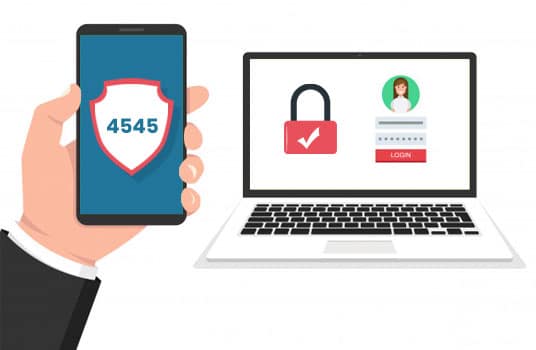
Two-factor authentication ensures enhanced security of the website. First level, we can have a strong password. At the second level, we can integrate an SMS API to send a code on the registered cellphone to allow login.
If the cost of sending SMS sounds too high, we can send a code in Email which can be implemented without any extra cost but would ensure full proof implementation of two-factor authentication.
Use Custom Login URL
It is a good practice to change the URL of the login page. WordPress provides a default page such as wp-login.php, which almost all developers and hackers are aware of. It is better to change the URL to something such as ProjectName_My_Login.
Secure the site with https
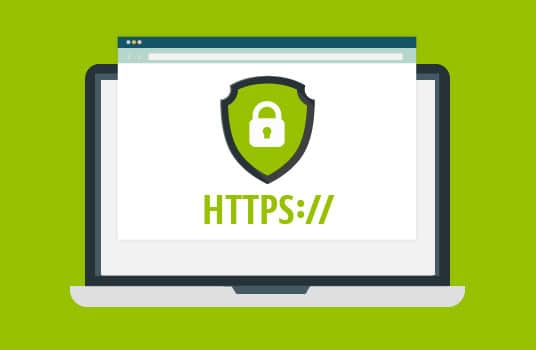
WordPress has made it mandatory to use HTTPS if one wants to have better search engine ranking. In addition, going with HTTPS means encrypting the connection between the web browser and the web server, which will keep data secure while transferring it from one server to another.
Get Rid of Unnecessary Themes and Plugins
Never keep any unused themes and plugins in WordPress. Delete it all from the admin section. If there are outdated themes and plugins in WordPress, it can prove to be a gateway for hackers to gain access to the website.
Keep Updates On
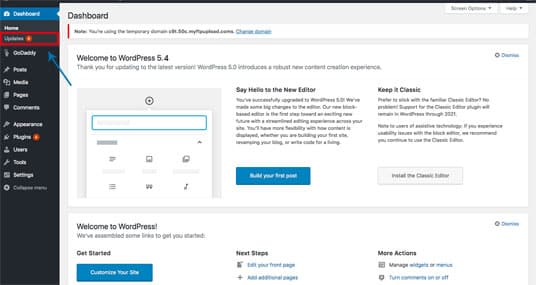
Always keep your theme, plugins, and core WordPress updated. This is extremely important to note: all hacking happens via the admin area, so if we keep this updated, it reduces the chances of a hack.
Don’t Download Free copies of paid plugins.
Providing plugins for free by making copies of paid plugins is a standard tactic of hackers to target websites to gain access. Always purchase the paid version from a reliable source.
Backup Regularly
It doesn’t matter what actions we may take to secure the website, but it is a very good practice to take regular backups of the website.
Conclusion
These are some tips and tricks that you can follow as a regular practice in order to ensure the security of the WordPress website. These are some easy-to-do tasks, which are not at all complex, time-consuming, or costly.